Back to blog
The online ordering button is a custom HTML code that you add to your website. In Joomla, you add such code in a HTML module that you then publish in the page. Pretty simple – see for yourself below.
Related: The benefits of integrating our online ordering system with Joomla
How to add the button to the (home)page
Video instructions:
Before anything, you need to check your Joomla settings:
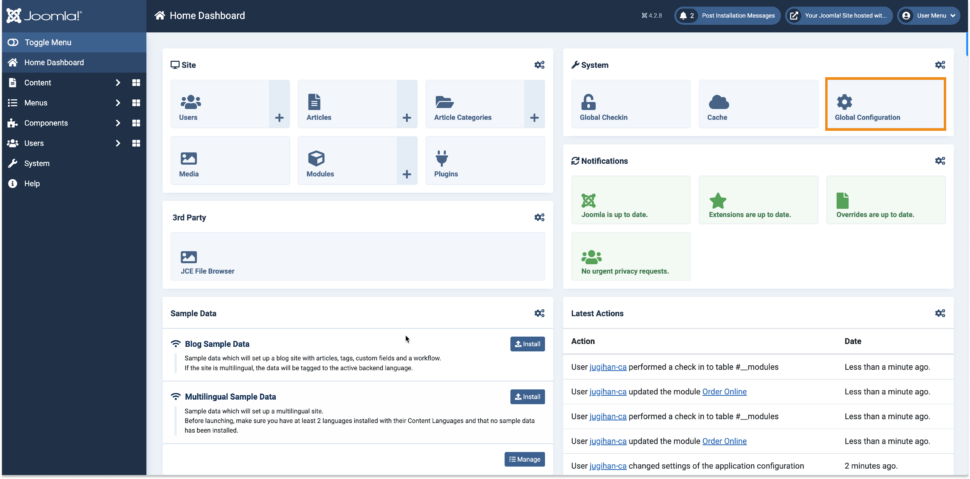
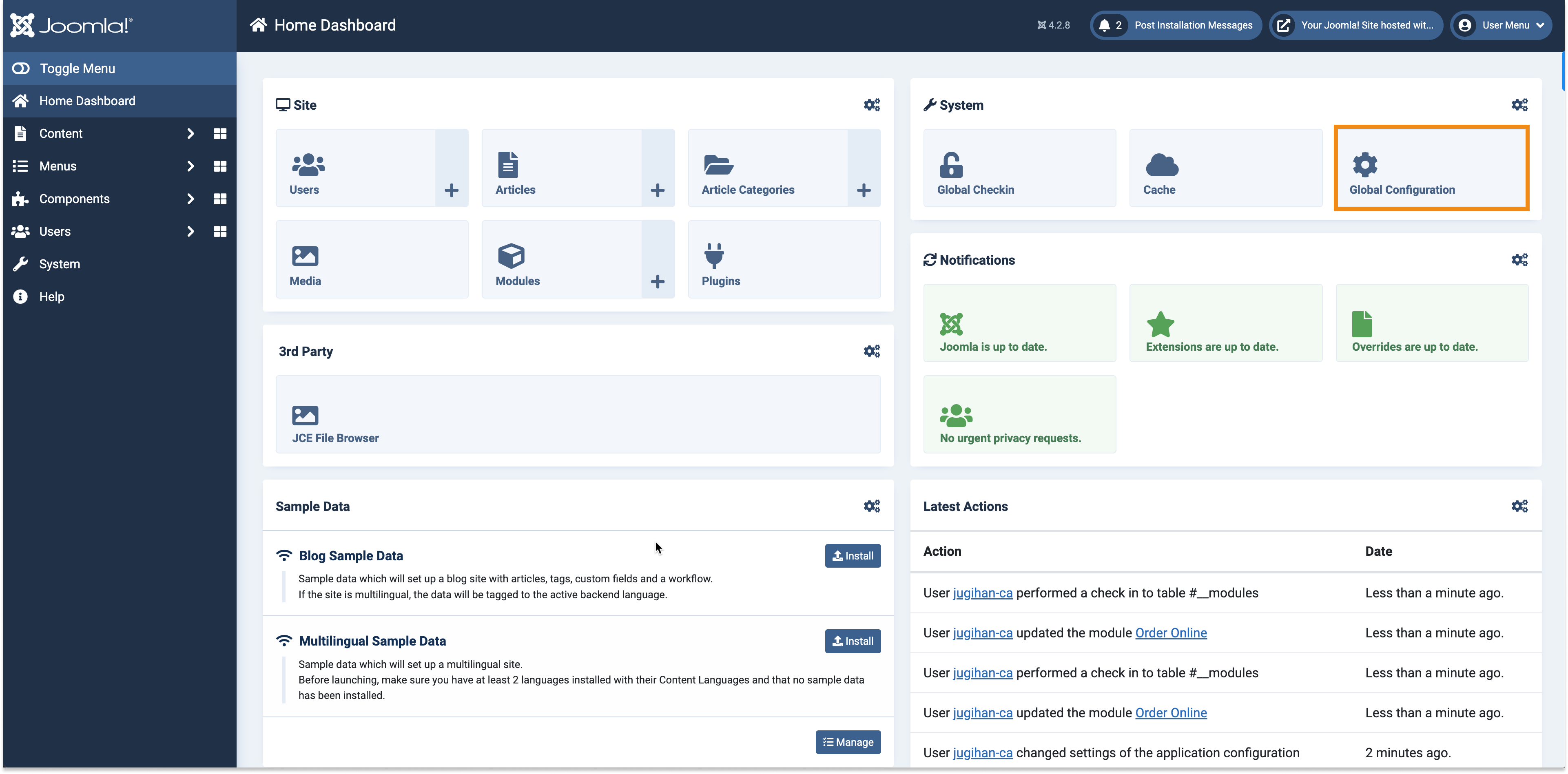
- In the Home Dashboard, select Global Configuration
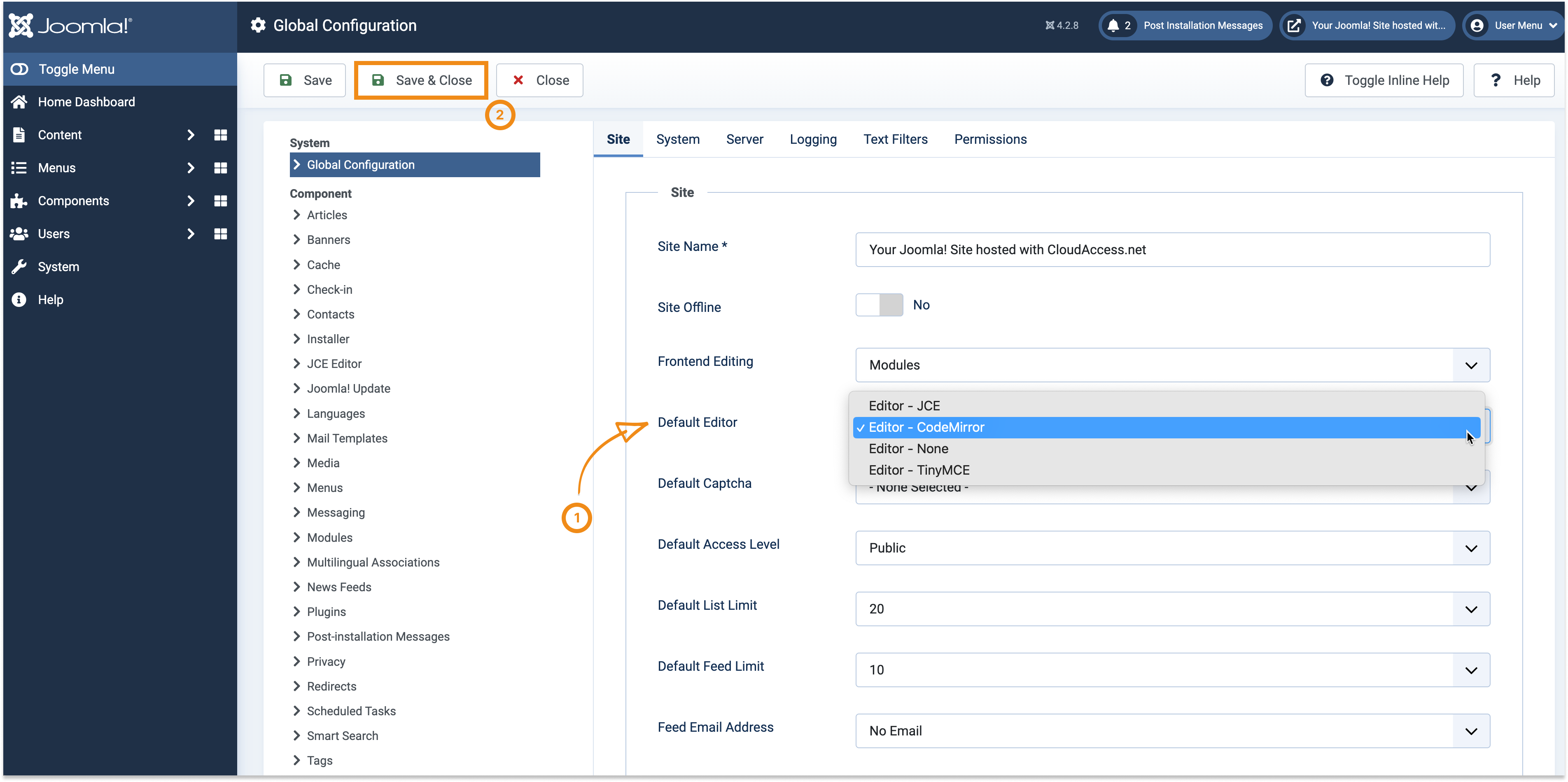
- At Default Editor, make sure to have Editor – CodeMirror selected. Then save your changes.
Having this done, now it’s the same drill for any page. But it would be best if you started with the homepage. Why? Because it’s your most important page. And online ordering is important for your business. So make sure you have your button nicely shown as soon as the client visits the website.
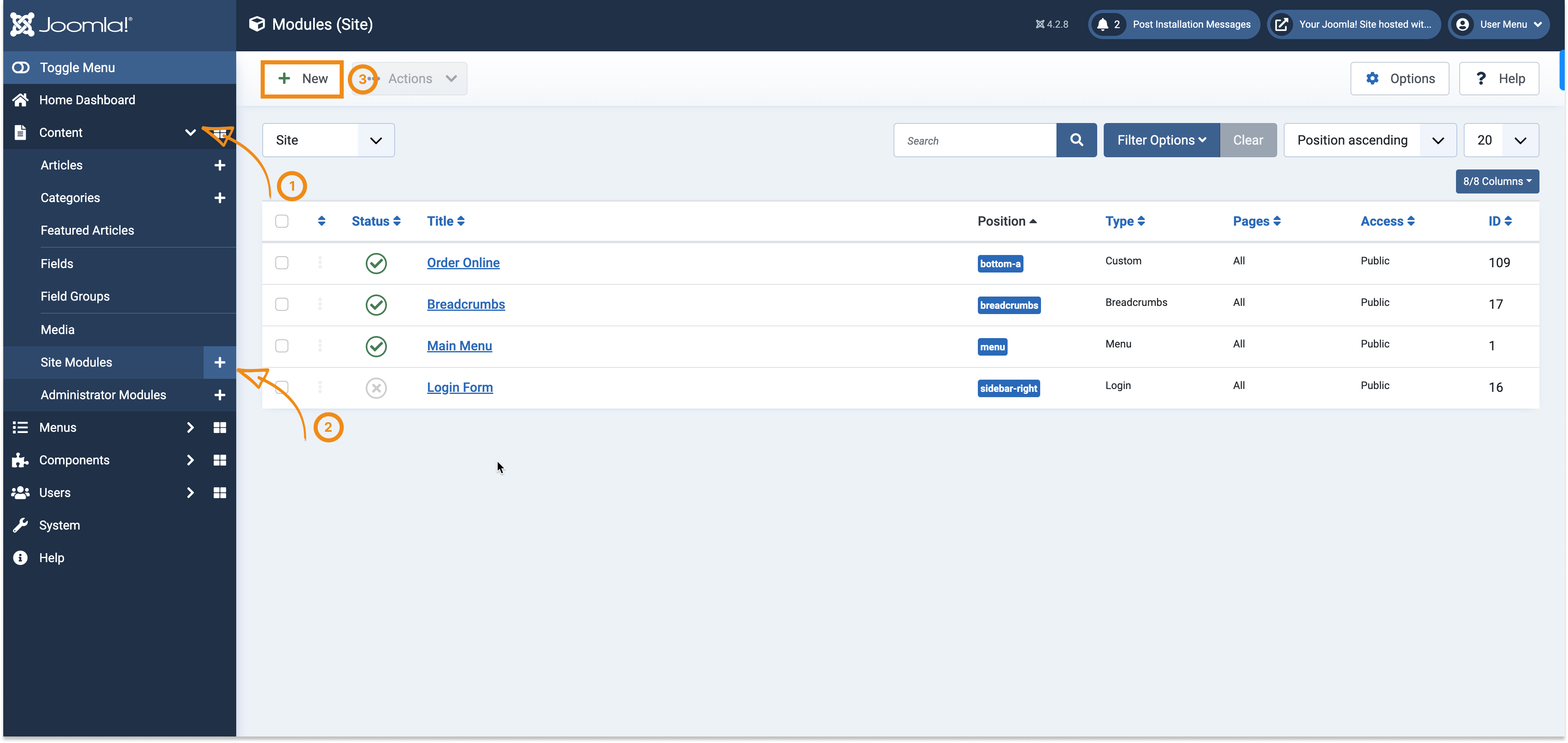
- Go to Content → Site Modules and click “New” to create a new module.
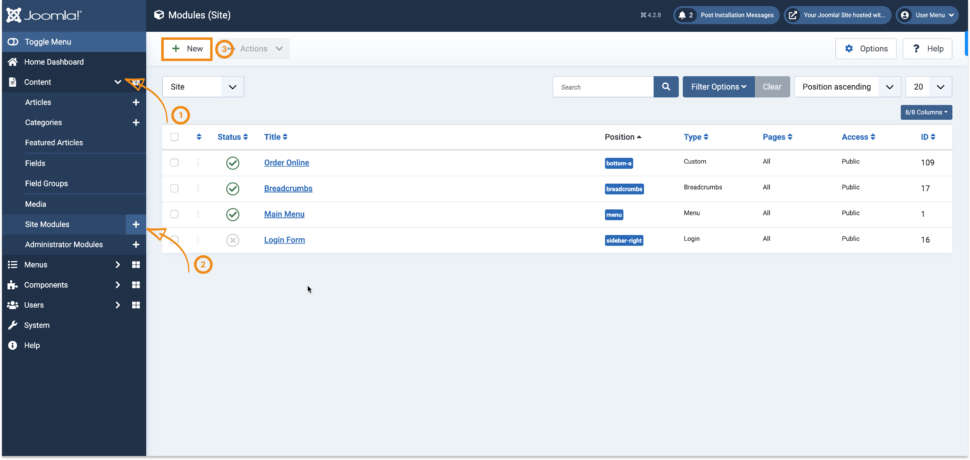
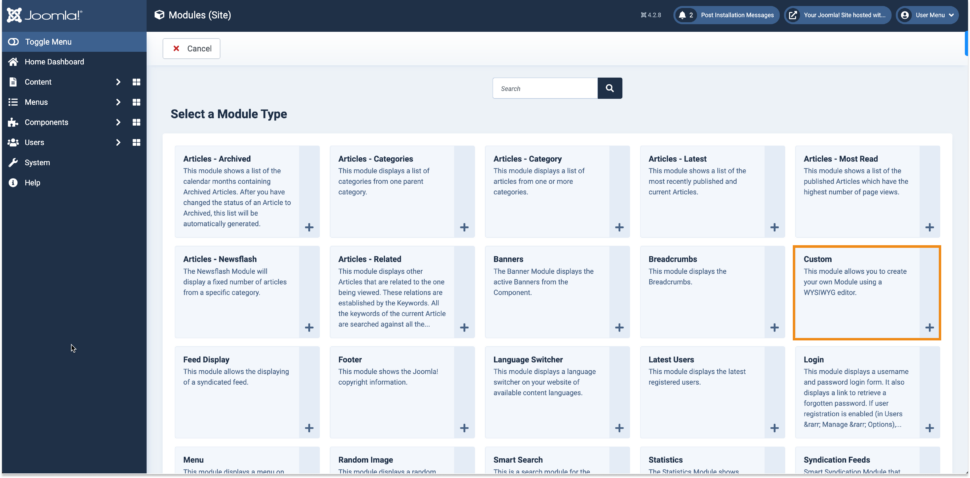
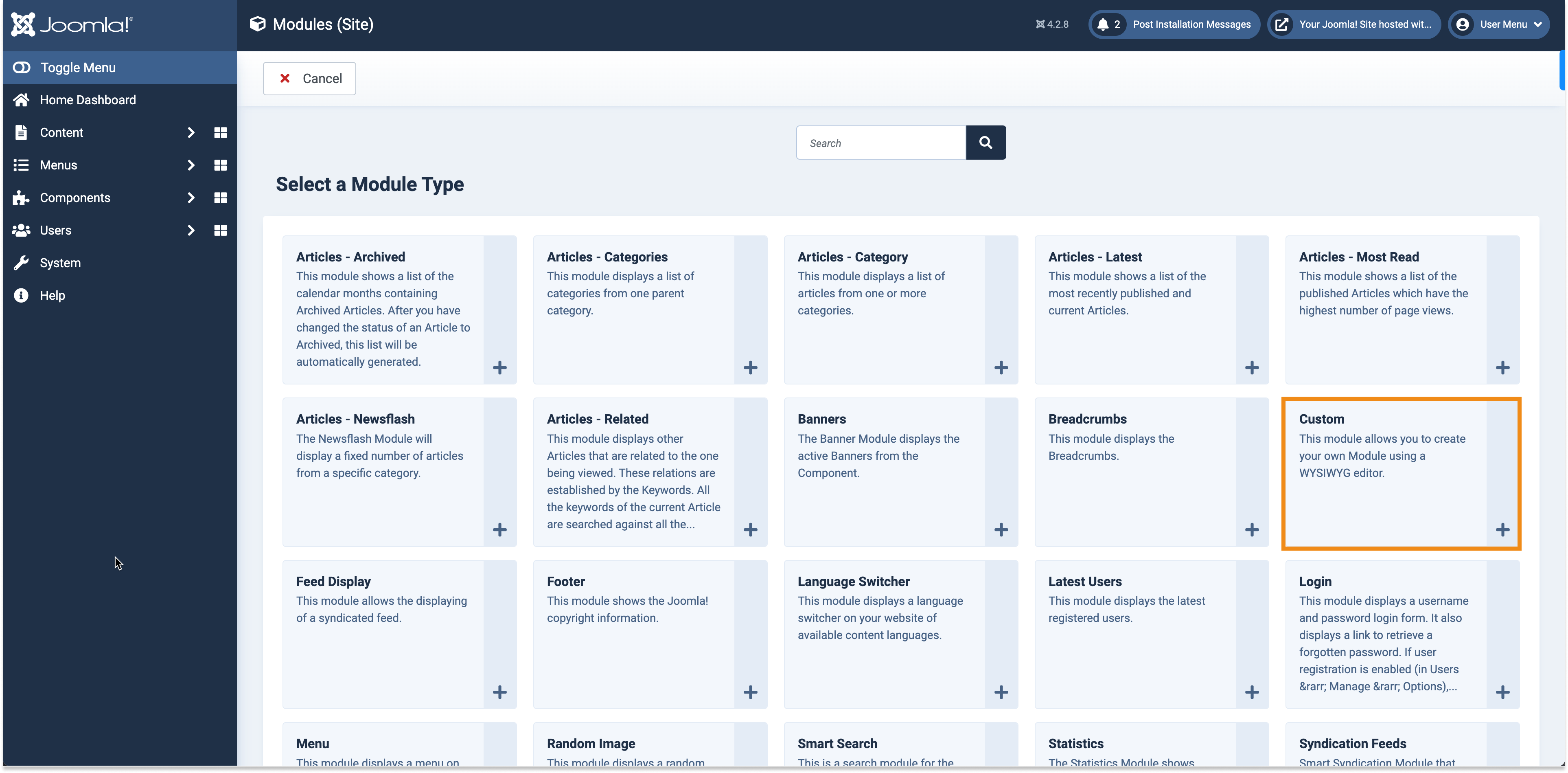
- Select the “Custom ” Module
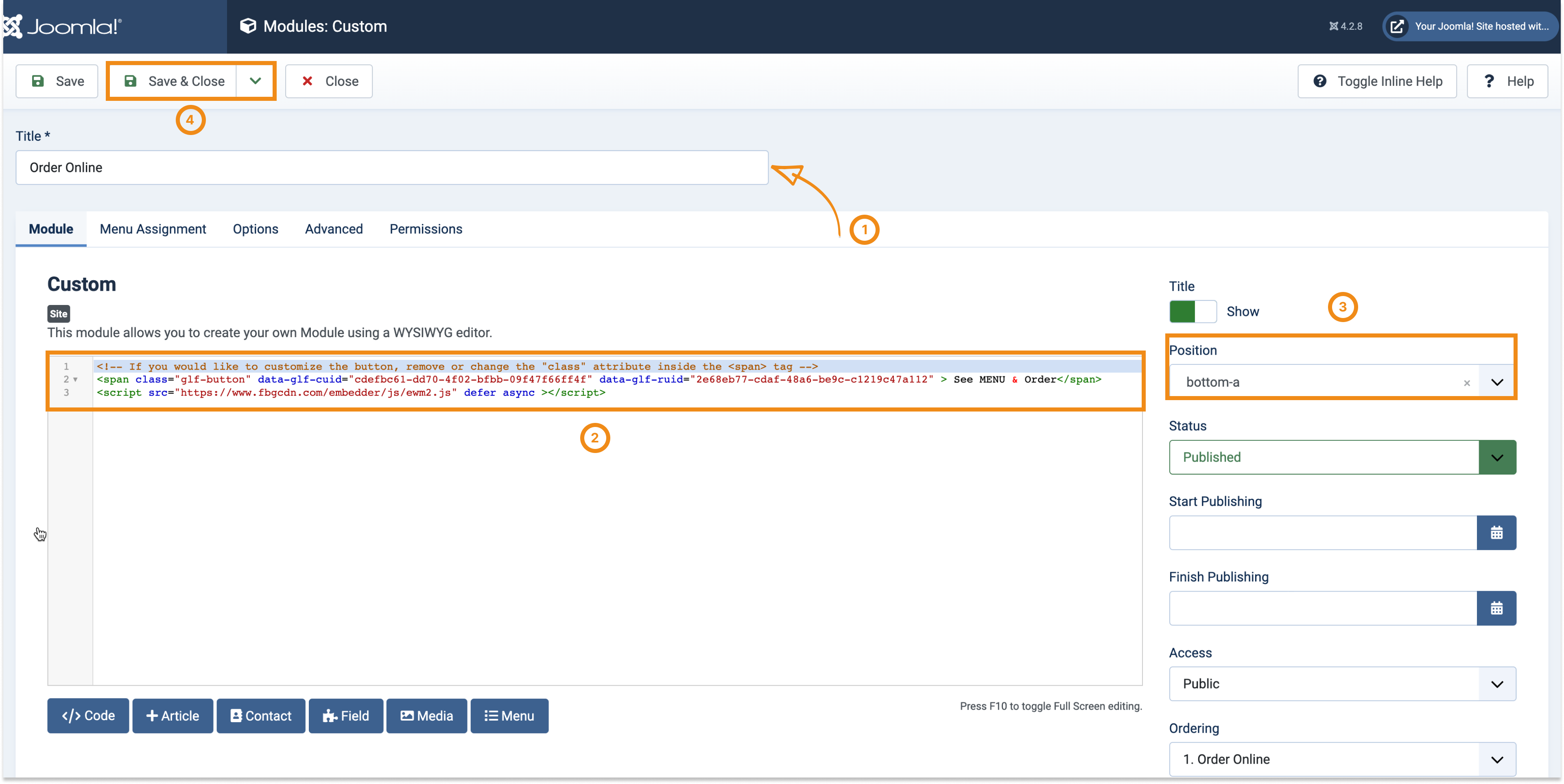
- Give it an appropriate name and paste in your unique HTML button code from your admin.
- Select the position for your button
- Click Save & Close
Here’s what the end result looks like on our Demo Restaurant website:
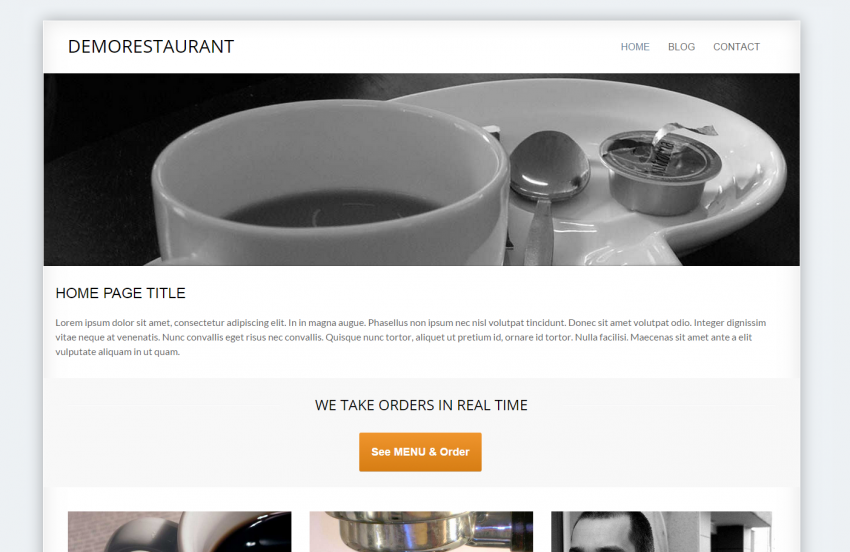
If your website has multiple pages, we recommend you to add the See MENU & Order button to other pages as well, like the Contact page.